Mobile Fix Near Me

Urgent service / Eastern Ontario

Need help today?Let's check.

Phone, tablet or computer trouble? Ask for an upfront quote and check same-day availability.

Check today's availability

Same-day service depends on your device, suitable parts, address and appointment availability. Confirm a time before travelling.

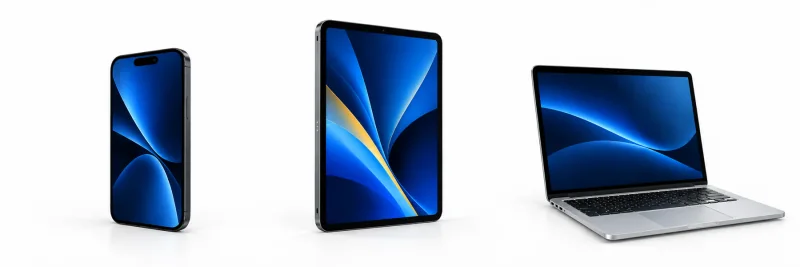
Illustrative phone, tablet and laptop with blue screens
Your device. Your issue. Your town.Three details to help us confirm the next step.

What needs fixing?

All our device repair enquiries, in one place. Choose your device and tell us what happened.

Phone repairs

iPhone, Samsung, Pixel and other models

A damaged screen or a phone that will not charge can interrupt the whole day. Start with the brand or device type and what still works. Add the model if you know it.

  • Screen and touch problems
  • Battery and charging faults
  • Liquid exposure or no power
Useful details: The model if known, whether the screen and touch work, and any drop or liquid history.
Get help with this phoneExplore phone repair details

Tablet repairs

iPad and Android tablets

Tell us which tablet you use and how the problem started. Parts and the repair arrangement are checked for your device before a visit.

  • Cracked or unresponsive screens
  • Battery and charging problems
  • Startup or power concerns
Useful details: The tablet or brand, the problem and any message shown when you try to charge it.
Get help with this tabletExplore tablet repair details

Laptop & MacBook repairs

Windows laptops and MacBooks

No power, a startup error and slow performance need different checks. Let us know whether protecting your files is the priority.

  • Startup and no-power problems
  • Battery and charging faults
  • Slow performance and software issues
Useful details: The model if known, charger details, any error message and whether important files are backed up.
Get help with this laptopExplore computer repair details

Desktop computer repairs

Home and work computers

Describe what happens when you switch the computer on and which tasks are affected. We will discuss the assessment and next available arrangement.

  • Startup and operating-system problems
  • Slow or unreliable performance
  • Storage and software assessment
Useful details: The computer model if known, error wording and the files or tasks you need to preserve.
Get help with this computerExplore desktop repair details

Urgent does not have to mean unclear.

  1. 01 / The problem

    Tell us what happened.

    Share your device or brand, what is wrong and your town or postal code. Mention any drop, liquid exposure or important files.

  2. 02 / The options

    Confirm the repair.

    We discuss the assessment, suitable parts and an upfront quote. You approve the proposed work before it begins.

  3. 03 / The timing

    Agree on a time.

    Confirm availability, your address and where the repair can be completed. Some work may need a different arrangement or more time.

Brockville and Eastern Ontario

Let's check what is possible today.

Call or text 343-703-6000. Have your device model ready if you know it. If the screen will not turn on, just tell us.

Mobile visits by arrangement. Check your service area and prepare for your repair visit.

Not sure what to write?

Build my text message

Hi! Can I get an upfront repair quote? Device: Area: Issue: Is same-day service available?

Fill in your device, area and issue. Keep passwords and passcodes out of your message.

Before you arrange the repair

Can every repair be completed the same day?

No. The model, fault, parts, location and appointment schedule determine what is possible. Liquid damage, no-power faults and data concerns can require further assessment. We confirm the expected timing before agreeing on the work.

Can you repair the device at my address?

Mobile visits are arranged across Brockville and Eastern Ontario. Confirm your exact address and where the proposed work can be completed. Some repairs need a different arrangement. See our service areas for coverage details.

Should I back up before an urgent repair?

If the device is safe and usable, check your backup first. Tell us if preserving files is your priority or if you cannot make a backup. Do not keep using or charging a damaged device just to complete a backup. Read the backup and privacy checklist.